Agents
Lambda tools
As your AI agents take on more complex workflows, they might need to perform actions that go beyond what built-in tools can handle. For example, applying custom business logic or transforming data.
Lambda Tools enable you to create your own tools that your agents can run during conversations. Think of them as custom skills that teach your agent how to handle specialized tasks. These user-defined functions run in secure, sandboxed environments, allowing you to extend agent capabilities with custom business logic, data processing, or integrations. Check out our tutorial on building a financial research agent.
Lambda Tools are user-defined functions that:
- Execute in a sandboxed Python 3.12 environment with gVisor isolation.
- Have automatic schema discovery from function type annotations.
- Can import the Python standard library plus preinstalled data and document
packages including
numpy,pandas,python-calamine,openpyxl,xlrd,xlsxwriter,python-pptx, andpython-docx. Importpython-calamineaspython_calamine,python-pptxaspptx, andpython-docxasdocx. - Run with memory fixed by the execution environment (not configurable per function).
- Include a 30-second execution timeout, configurable up to 21600 seconds.
- Provide complete audit trails of execution history.
Lambda Tools run without direct network access. You have a secure sandboxed environment, and you cannot install custom packages. This ensures secure execution in multi-tenant environments. When a lambda needs external data, compose other tools into it — see Composable lambda tools.
Do not use asyncio, threading, multiprocessing, or concurrent.futures
to parallelize work inside a lambda. These imports work, but user-managed
concurrency is unsupported: the main execution can time out while user-created
concurrent work is still running and discard its results. To run composed tool
calls concurrently, use the built-in tool.<name>.submit() primitive instead,
which needs no imports at all — see
Run composed calls in parallel.
Read session artifacts with artifacts.download
When a lambda runs inside an agent session, the artifacts library downloads
an artifact from that session — an uploaded file or a tool-generated output —
to sandbox-local storage. Pass an artifact ID such as art_report_pdf_a3f2,
usually taken from a tool parameter the agent fills in, and download returns
a local path you read with open():
def process(artifact_id: str) -> dict:
    path = artifacts.download(artifact_id)
    lines = open(path).read().splitlines()
    return {"header": lines[0], "rows": len(lines) - 1}
artifacts is available as a global and via import artifacts; it is provided
by the session. download accepts an optional dest_path relative to the
sandbox scratch directory; it defaults to the artifact ID. A download failure —
for example an unknown artifact ID or a dest_path outside the scratch
directory — raises ArtifactError with the reason as its message. Relative
paths resolve inside the scratch workspace, and downloaded files last for the
current execution only.
Artifact downloads only work while the lambda executes inside a live agent
session. The lambda test endpoints (POST /v2/tools/test and
POST /v2/tools/{tool_id}/test) supply a
test_context but no session
artifacts, so downloads there fail with ArtifactError.
Create a lambda tool (UI)
In this example, we'll create a simple Python function that does the following:
- Takes one string parameter called
name. - Creates and returns a dictionary with a single key "result".
- The value associated with that key is a greeting string
"Hello, " + name + "!"
- Navigate to Agents in the Vectara Console.
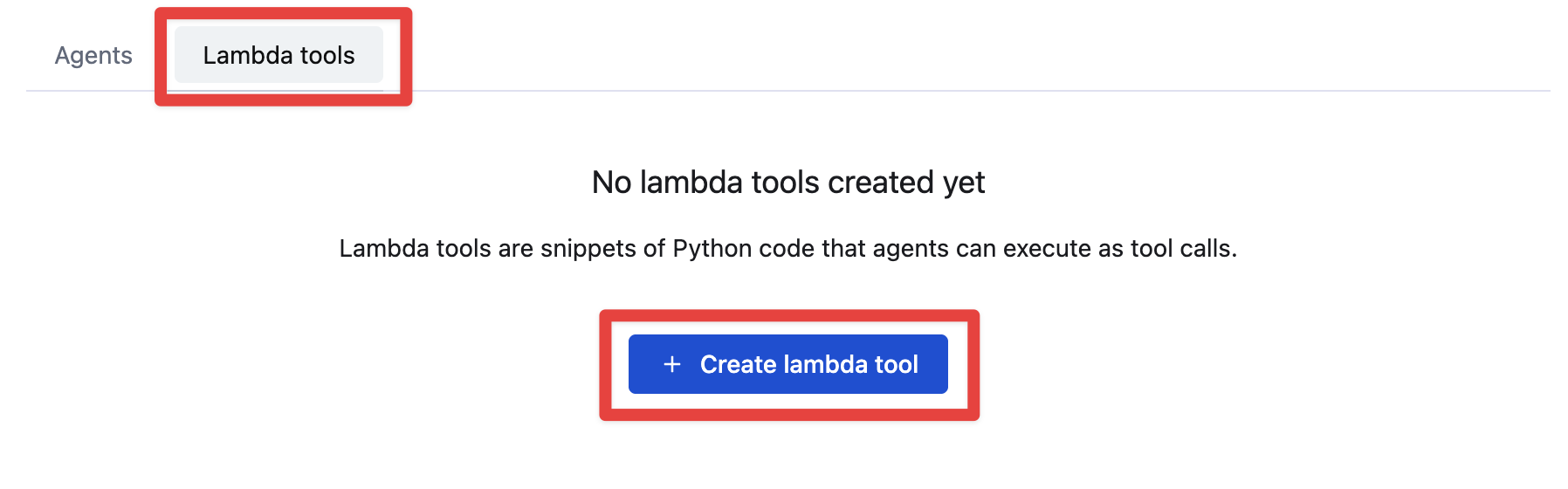
- Select the Lambda tools tab.
- Click Create lambda tool.
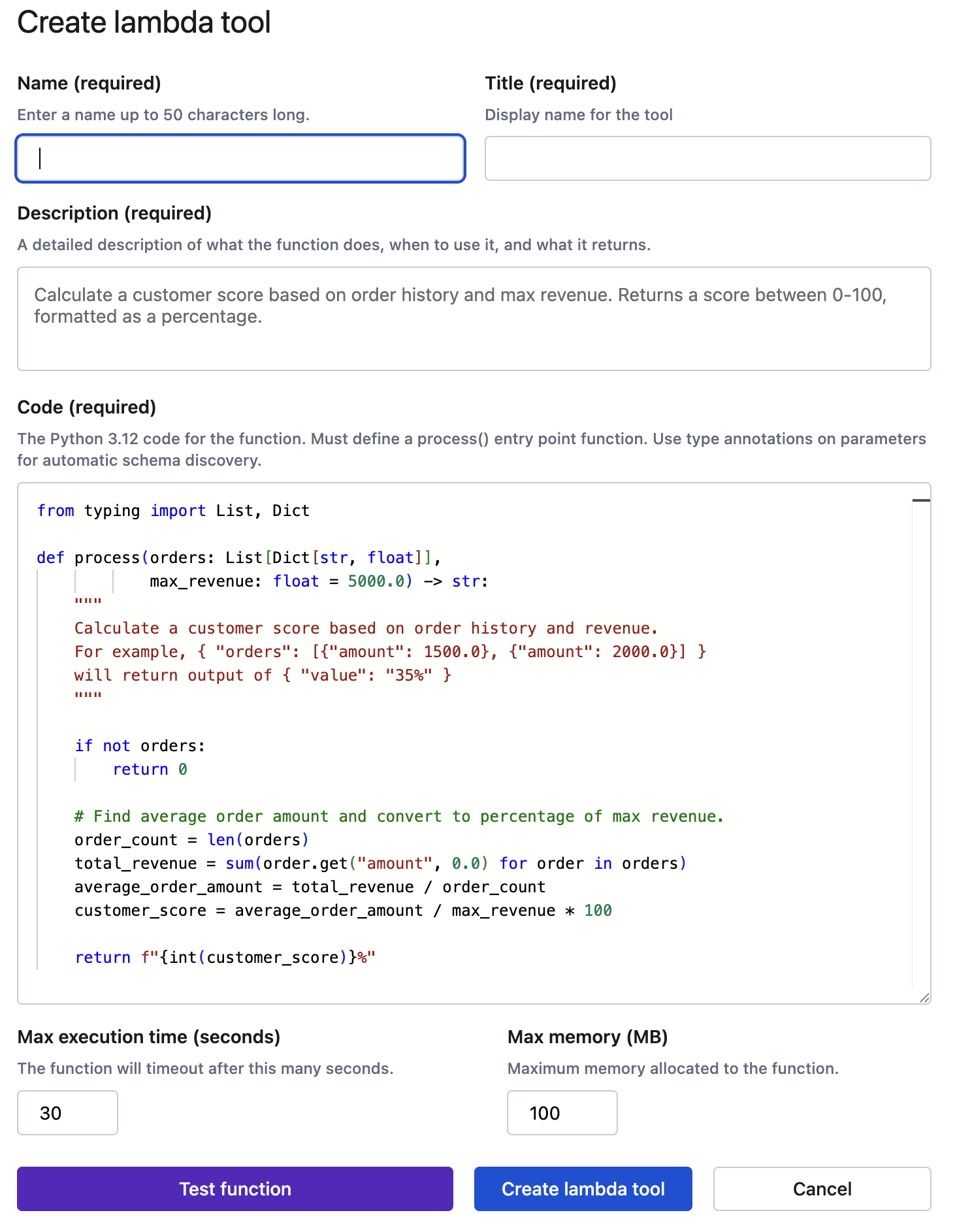
- Add the following:
- Name as
Lambda Tool - Title as
My function - Description as
Calculate a customer score based on order history and max revenue. Returns a score between 0-100, formatted as a percentage.
- Name as
- Add this function to the Code field:
Pythonfrom typing import List, TypedDictclass Order(TypedDict):amount: floatdef process(orders: List[Order],max_revenue: float = 5000.0) -> str:"""Calculate a customer score based on order history and revenue.For example, { "orders": [{"amount": 1500.0}, {"amount": 2000.0}] }returns the string "35%"."""if not orders:return "0%"# Find average order amount and convert to percentage of max revenue.order_count = len(orders)total_revenue = sum(order.get("amount", 0.0) for order in orders)average_order_amount = total_revenue / order_countcustomer_score = average_order_amount / max_revenue * 100return f"{int(customer_score)}%"
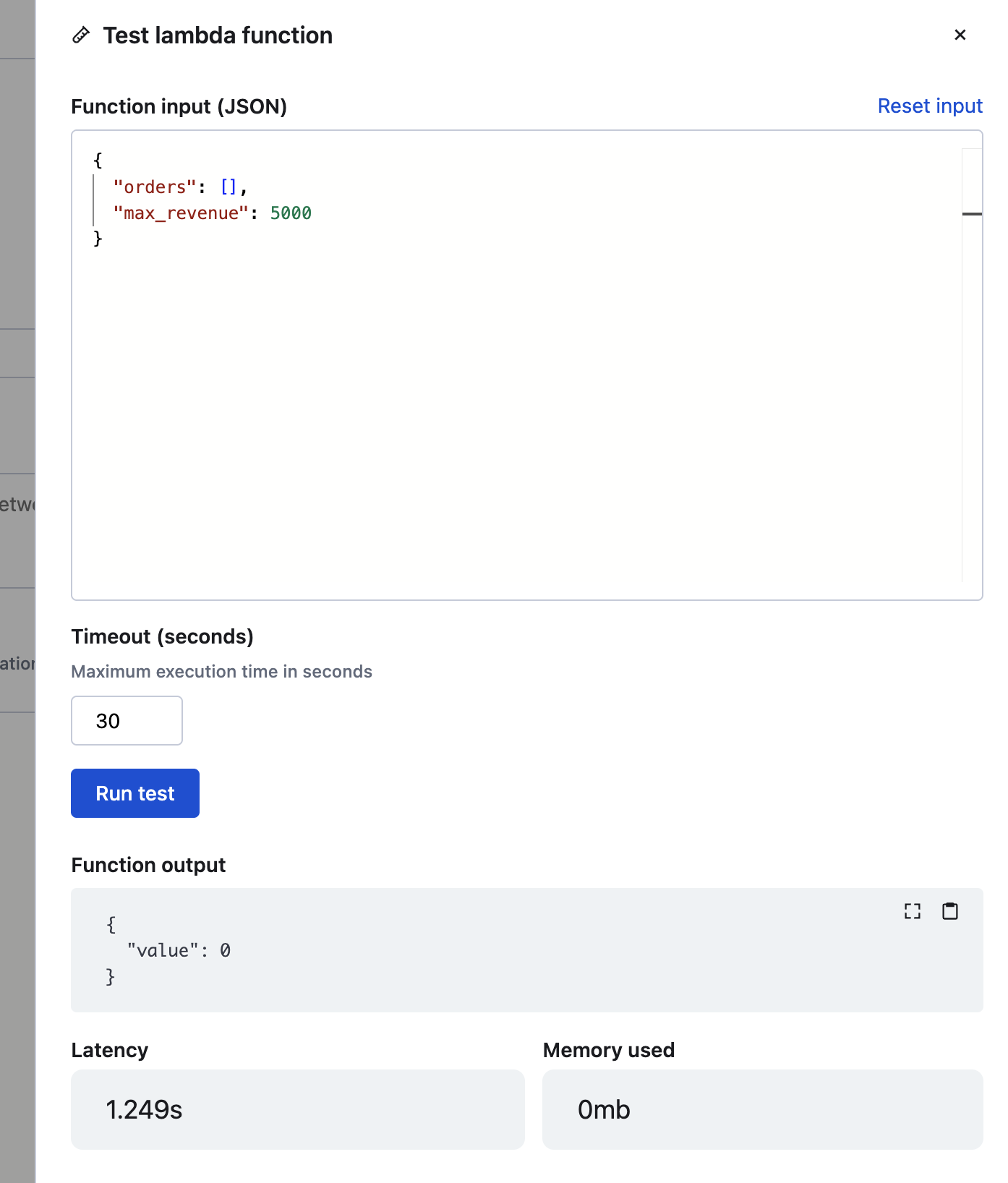
- Before you create this tool, you can click Test function and Run test to verify that
it works.
- After verifying that the tool executes successfully, click Create lambda tool.
To learn about creating this tool and using it with the API, see Create a lambda tool.